
Monitors

LG 27GX790B-B

verified Excellent

Best For

  • Gamers seeking ultra-smooth motion
  • Professionals needing precise color accuracy
  • Competitive FPS gamers who want the highest-refresh OLED available (540Hz at 1440p, 720Hz Dual-Mode)

Consider Carefully

  • Users needing cable management solutions
  • Those sensitive to overbright displays

The Bottom Line

The LG 27GX790B-B stands out as a top-tier OLED gaming monitor that delivers an exceptional visual experience. With its 4th-Gen WOLED panel and an industry-leading native 540Hz refresh rate, it's a powerhouse that can handle high-end graphics with ease. What we found particularly impressive was its 1500 nits peak HDR brightness and VESA DisplayHDR True Black 500 certification, which ensures that it can produce deep blacks and vibrant colors. Ergonomically, this monitor offers smooth adjustments and a full 90-degree rotation, making it adaptable for various setups. Connectivity is also robust, with HDMI and DisplayPort 2.1 ports catering to the latest graphics cards. However, some users might be disappointed by the lack of cable management in the stand shaft and the overbrightening issue in HDR content.

Performance Breakdown

In-Depth Analysis

Refresh Rate Performance 97

Unanimous consensus · 9 sources

Nine sources agree: this is the fastest OLED monitor available at launch, built specifically for competitive players who need every frame. For everyone else, the gains are largely theoretical.

Key Takeaway

If you play CS2 or Valorant at a high level and have the GPU to match, this refresh rate is unmatched. If you game casually or across genres, a 240Hz monitor saves you real money.

In-Depth Analysis

Refresh Rate Performance

Unanimous consensus · 9 sources
97 / 100

540Hz native with a boost to 720Hz in dual-mode makes this the highest refresh rate OLED on the market at release, and all nine sources land in the same place: this is a competitive esports tool, not a general-purpose monitor. Tom's Guide flagged that refresh rates this extreme are imperceptible to most users, which is the honest counterpoint to the spec sheet excitement. RTINGS confirmed it beats QD-OLED alternatives on raw refresh speed, and ownpetz.com tied it directly to titles like Counter-Strike 2 and Valorant where frame timing actually matters. You also need a GPU capable of pushing those frame rates, or the number is just marketing. FreeSync Premium Pro and G-SYNC Compatibility are both present, so adaptive sync is covered regardless of your card.

Best suited only for pure competitive gaming use case

— Woozy

Where Reviewers Disagree

The spec is real, but Tom's Guide and Woozy both note the gains above 240Hz are imperceptible to most players, making the premium hard to justify outside a narrow competitive use case.

What Reviewers Say

"Native 540Hz refresh rate, fastest available on OLED at release"

rtings.com

"Up to 720 Hz refresh rate for competitive gaming"

Lite-magazin

"Better choice than QD-OLED alternatives for raw refresh rate speed"

rtings.com

"Best suited for titles like Counter-Strike 2 and Valorant"

ownpetz.com

Strengths

Ideal for competitive esports players demanding maximum refresh rates
9 of 9 sources agree
  • rtings.com — high confidence
  • Lite-magazin — high confidence
  • Woozy — high confidence
  • tomsguide.com — medium
  • tftcentral.co.uk — medium
  • ownpetz.com — medium
  • Full Transparency — medium
  • Pcmonitors — low
  • +1 more
Native 540Hz refresh rate, fastest available on OLED at release
2 of 9 sources agree
  • rtings.com — high confidence
  • Lite-magazin — high confidence
FreeSync Premium Pro and G-SYNC Compatibility for smooth gameplay
1 of 9 sources agree
  • rtings.com — high confidence
Best suited for titles like Counter-Strike 2 and Valorant
1 of 9 sources agree
  • ownpetz.com — medium

Nuances

Better choice than QD-OLED alternatives for raw refresh rate speed
1 of 9 sources agree
  • rtings.com — high confidence
Consider 240Hz alternatives for average gaming needs
1 of 9 sources agree
  • tomsguide.com — medium
Requires high-end GPU to fully utilize refresh capabilities
1 of 9 sources agree
  • ownpetz.com — medium

HDR & Brightness 94

Strong consensus · 7 sources

1,500 nits peak brightness and DisplayHDR True Black 500 certification put this among the brightest OLEDs available, though RTINGS flagged it overbrightens content in HDR mode.

Key Takeaway

If HDR brightness is a priority and you're gaming, this delivers. If you need accurate HDR tone mapping for film or content work, the overbightening issue is worth investigating before buying.

In-Depth Analysis

HDR & Brightness

Strong consensus · 7 sources
94 / 100

Four sources independently confirmed the VESA DisplayHDR True Black 500 certification and 1,500 nit peak, which is a meaningful jump over older WOLED panels. Tom's Guide called it 'exceptionally bright HDR for an OLED gaming monitor,' and tftcentral.co.uk highlighted its strength for cinematic gaming. The RGB Tandem OLED panel architecture is what enables the brightness gain, and RTINGS credited that directly. The one real flag: RTINGS noted the monitor overbrightens content in HDR, which means out-of-box HDR accuracy isn't perfect even if the ceiling is high. For gaming that's often fine. For anything where tone mapping precision matters, it's worth knowing.

Exceptionally bright HDR for an OLED gaming monitor

— Tom's Guide

Where Reviewers Disagree

The panel hits 1,500 nits, but RTINGS found it overbrightens in HDR, meaning raw brightness and HDR accuracy aren't the same thing here.

What Reviewers Say

"Fourth-gen OLED panel reaches 1,500 nits peak brightness"

Lite-magazin

"RGB Tandem OLED panel delivers higher brightness than older OLEDs"

rtings.com

"Exceptionally bright HDR for an OLED gaming monitor"

tomsguide.com

"Strong HDR performance for cinematic gaming experiences"

tftcentral.co.uk

Strengths

Strong choice for HDR gaming with True Black 500 performance
4 of 7 sources agree
  • Lite-magazin — high confidence
  • tftcentral.co.uk — medium
  • Pcmonitors — low
  • Tiny Home Tech — low
1500 nits HDR peak brightness with DisplayHDR True Black 500
4 of 7 sources agree
  • Lite-magazin — high confidence
  • tftcentral.co.uk — medium
  • ownpetz.com — medium
  • Pcmonitors — low
Excellent choice for users prioritizing bright HDR in OLED
1 of 7 sources agree
  • tomsguide.com — medium
RGB Tandem OLED panel delivers higher brightness than older OLEDs
1 of 7 sources agree
  • rtings.com — high confidence

Nuances

Strong HDR performance for cinematic gaming experiences
1 of 7 sources agree
  • tftcentral.co.uk — medium

Color Accuracy & Gamut 93

Strong consensus · 8 sources

99.5% DCI-P3 coverage and an improved sRGB mode make this credible for dual-use workflows, but Woozy and RTINGS Computer both say content creators should calibrate or look elsewhere.

Key Takeaway

Gamers get excellent color out of the box. Content creators can make it work with calibration, but this isn't a purpose-built creative display.

In-Depth Analysis

Color Accuracy & Gamut

Strong consensus · 8 sources
93 / 100

The 99.5% DCI-P3 figure is confirmed by four sources and represents a genuine improvement over previous-gen WOLED panels. RTINGS noted the sRGB mode is accurate enough to be viable for content creation, and Pcmonitors echoed that for dual-use creative and gaming workflows. But the nuance matters: RTINGS Computer specifically said calibration is still required for accuracy, and Woozy was blunter, suggesting casual gamers and content creators should look at other options entirely. This isn't a monitor that ships perfectly calibrated for professional color work. It's a gaming monitor with better-than-average color that can stretch into creative use with some setup.

More accurate sRGB mode suitable for content creation

— RTINGS

Where Reviewers Disagree

RTINGS and Pcmonitors see the sRGB mode as genuinely viable for creative work. Woozy and RTINGS Computer disagree, saying calibration is required and content creators should consider alternatives.

What Reviewers Say

"Improved color purity over previous-generation WOLED panels"

rtings.com

"99.5% DCI-P3 color coverage"

Lite-magazin

"More accurate sRGB mode suitable for content creation"

rtings.com

"Consider for dual-use creative and gaming workflows"

Pcmonitors

Strengths

Good choice for users prioritizing SDR color accuracy
5 of 8 sources agree
  • rtings.com — high confidence
  • RTINGS Computer — medium
  • ownpetz.com — medium
  • Full Transparency — medium
  • Pcmonitors — low
99.5% DCI-P3 coverage with rich, accurate colors
4 of 8 sources agree
  • Lite-magazin — high confidence
  • tftcentral.co.uk — medium
  • ownpetz.com — medium
  • Pcmonitors — low
Improved color purity over previous-generation WOLED panels
1 of 8 sources agree
  • rtings.com — high confidence

Nuances

Viable for content creators needing accurate sRGB mode
2 of 8 sources agree
  • rtings.com — high confidence
  • Pcmonitors — low
Casual gamers and content creators should look elsewhere
1 of 8 sources agree
  • Woozy — high confidence
Content creators will still need calibration for accuracy
1 of 8 sources agree
  • RTINGS Computer — medium

Motion & Response Time 93

Strong consensus · 5 sources

A 0.02ms grey-to-grey response time and sub-1.4ms frame time in 720Hz mode make this one of the fastest-responding monitors tested, with one notable gap: no Black Frame Insertion.

Key Takeaway

Motion performance is class-leading. If you rely on Black Frame Insertion for motion clarity, this monitor doesn't have it and that's a real gap.

In-Depth Analysis

Motion & Response Time

Strong consensus · 5 sources
93 / 100

The 0.02ms specified response time is confirmed by Pcmonitors and ownpetz.com, and RTINGS validated low input lag with sharp motion in testing. In 720p/720Hz mode, ownpetz.com measured under 1.4ms frame time, which is the kind of number competitive players actually care about. Megekko flagged it as ideal for fast-paced racing titles too, so the motion performance extends beyond FPS. The one missing feature is Black Frame Insertion, which tftcentral.co.uk called out directly. BFI can improve perceived motion clarity at lower frame rates, and its absence is a real omission for a monitor positioned at this price point.

0.02ms specified grey-to-grey response time

— Pcmonitors

Where Reviewers Disagree

Response time and input lag are best-in-class, but the absence of Black Frame Insertion, flagged by tftcentral.co.uk, is a meaningful omission for a monitor at this price.

What Reviewers Say

"Near-instant 0.02ms pixel response eliminates ghosting and motion blur"

ownpetz.com

"Under 1.4ms frame time in 720p/720Hz mode for minimal input lag"

ownpetz.com

"Low input lag and sharp motion for responsive gaming"

rtings.com

"Ideal for competitive FPS players prioritizing speed"

Megekko

Strengths

Near-instant 0.02ms pixel response eliminates ghosting and motion blur
2 of 5 sources agree
  • ownpetz.com — medium
  • Pcmonitors — low
Excellent for fast-paced racing titles
1 of 5 sources agree
  • Megekko — low
Low input lag and sharp motion for responsive gaming
1 of 5 sources agree
  • rtings.com — high confidence
Under 1.4ms frame time in 720p/720Hz mode for minimal input lag
1 of 5 sources agree
  • ownpetz.com — medium

Connectivity & Ports 87

Strong consensus · 8 sources

DisplayPort 2.1, dual HDMI 2.1, and USB-C with DP Alt Mode cover most setups, but the USB-C delivers only 5W charging and DisplayPort 2.1 bandwidth requires DSC to hit full spec.

Key Takeaway

Port selection is broad and covers most use cases. Laptop users should bring their own charger, and anyone pushing full DisplayPort 2.1 bandwidth should check DSC compatibility with their GPU.

In-Depth Analysis

Connectivity & Ports

Strong consensus · 8 sources
87 / 100

Five sources confirmed USB-C with DisplayPort Alt Mode, which is useful for laptop users, and three sources validated the HDMI 2.1 and DisplayPort 2.1 combination. Dual HDMI 2.1 with full VRR support, confirmed by Pcmonitors, is a genuine strength for multi-source setups. The catches: Lite-magazin confirmed no Power Delivery over USB-C, just 5W, which RTINGS Computer said means you'll need a separate laptop charger. tftcentral.co.uk flagged that DisplayPort 2.1 requires DSC compression to hit full bandwidth, and Pcmonitors noted the UHBR specification isn't confirmed. These aren't dealbreakers, but they're worth knowing before assuming the port selection is as capable as it looks on paper.

USB-C with DP Alt Mode and multiple USB ports

— TFT Central

Where Reviewers Disagree

The port list looks comprehensive, but USB-C charging tops out at 5W and DisplayPort 2.1 full bandwidth depends on DSC, two limitations that aren't obvious from the spec sheet.

What Reviewers Say

"Includes USB-C port with DisplayPort Alt Mode for laptop connectivity"

rtings.com

"Dual HDMI 2.1 ports with full VRR support"

Pcmonitors

"Comprehensive ports including HDMI 2.1 and DisplayPort 2.1"

ownpetz.com

"No Power Delivery over USB-C"

Lite-magazin

Strengths

Includes USB-C port with DisplayPort Alt Mode for laptop connectivity
5 of 8 sources agree
  • rtings.com — high confidence
  • tftcentral.co.uk — medium
  • RTINGS Computer — medium
  • Full Transparency — medium
  • Pcmonitors — low
HDMI and DisplayPort 2.1 ports for high-end graphics cards
3 of 8 sources agree
  • rtings.com — high confidence
  • Lite-magazin — high confidence
  • ownpetz.com — medium
Dual HDMI 2.1 ports with full VRR support
1 of 8 sources agree
  • Pcmonitors — low

Nuances

Consider DSC limitations for full bandwidth use
1 of 8 sources agree
  • tftcentral.co.uk — medium
Consider separate laptop charger due to 5W power limit
1 of 8 sources agree
  • RTINGS Computer — medium
Best paired with high-end GPUs supporting DisplayPort 2.1
1 of 8 sources agree
  • Tiny Home Tech — low

Design & Ergonomics 85

Strong consensus · 7 sources

Full ergonomic range including 90-degree rotation and a clean minimalist stand, undercut by rear-facing ports, no cable management channel, and an external power brick.

Key Takeaway

The ergonomics are genuinely good. The port placement, missing cable management, and external power brick are real daily annoyances that don't belong on a $999 monitor.

In-Depth Analysis

Design & Ergonomics

Strong consensus · 7 sources
85 / 100

Five sources praised the stand's ergonomic range, and tftcentral.co.uk specifically confirmed the full rotation capability. The flat pentagonal base saves desk space, and the subtle rear RGB fits without being loud. But the practical complaints stack up: tomsguide.com flagged that ports are rear-facing and require rotating the monitor to access, Lite-magazin and tomsguide.com both noted the stand shaft has no cable management opening, and Pcmonitors called out the external power brick. At $999.99, those are frustrating oversights. The monitor is also currently only available in China, which tftcentral.co.uk confirmed, making global buyers wait for a launch date that isn't confirmed.

Rudimentary cable management for thick cables

— Lite-magazin

Where Reviewers Disagree

The stand is well-designed and flexible, but rear-facing ports and no cable management channel create practical desk frustrations that multiple sources flagged independently.

What Reviewers Say

"Excellent one-handed ergonomic adjustments"

Lite-magazin

"Elegant all-silver design suits office and gaming setups"

tomsguide.com

"Portrait mode suits streamers with chat applications"

Lite-magazin

"Convenient refresh rate switch button under bottom bezel"

tomsguide.com

Strengths

Smooth ergonomic adjustments with full 90-degree rotation
5 of 7 sources agree
  • Lite-magazin — high confidence
  • tomsguide.com — medium
  • tftcentral.co.uk — medium
  • ownpetz.com — medium
  • Pcmonitors — low
Minimalist design with low-profile metal stand base
2 of 7 sources agree
  • Lite-magazin — high confidence
  • Pcmonitors — low
Portrait mode suits streamers with chat applications
2 of 7 sources agree
  • Lite-magazin — high confidence
  • Pcmonitors — low
Subtle rear RGB lighting fits modern gaming setups
2 of 7 sources agree
  • ownpetz.com — medium
  • Pcmonitors — low

Nuances

Worth waiting for global availability if purchasing outside China
2 of 7 sources agree
  • tftcentral.co.uk — medium
  • Tiny Home Tech — low
Ideal for dual-purpose office and gaming environments
1 of 7 sources agree
  • tomsguide.com — medium
Consider alternative mounts for multi-monitor arrays
1 of 7 sources agree
  • Lite-magazin — high confidence

Dual-Mode Feature 82

Strong consensus · 6 sources

540Hz at 1440p and 720Hz at 720p gives competitive players a genuine choice, but 720p on a 27-inch panel is a significant visual downgrade that two sources flagged directly.

Key Takeaway

Use 540Hz at 1440p as your default. The 720Hz mode is there if you need every millisecond in a tournament setting, but 720p on a 27-inch panel is a real visual trade-off.

In-Depth Analysis

Dual-Mode Feature

Strong consensus · 6 sources
82 / 100

Four sources confirmed the dual-mode implementation: 540Hz at native 1440p, or 720Hz by dropping to 720p resolution. RTINGS framed it as flexibility for players switching between competitive and immersive titles, which is the optimistic read. tftcentral.co.uk and ownpetz.com were more direct about the downside: 720p on a 27-inch screen is a meaningful clarity sacrifice, and ownpetz.com said the 720p mode should only be used when maximum competitive advantage is the explicit goal. Megekko suggested sticking with 540Hz QHD for the better balance of sharpness and speed. The feature exists and works, but it's a niche tool within an already niche product.

Dual-Mode feature boosts to 720Hz at 720p for competitive gaming

— RTINGS

Where Reviewers Disagree

The 720Hz mode is technically impressive but requires dropping to 720p resolution, a trade-off that tftcentral.co.uk and ownpetz.com both flagged as significant enough to limit its practical appeal.

What Reviewers Say

"Dual-Mode feature boosts to 720Hz at 720p for competitive gaming"

rtings.com

"Dual-Mode suits players switching between competitive and immersive titles"

rtings.com

"Choose 540 Hz QHD for sharpness plus high refresh"

Megekko

"720p mode sacrifices significant visual clarity for speed"

ownpetz.com

Strengths

540Hz at 1440p and 720Hz at 720p dual-mode refresh flexibility
4 of 6 sources agree
  • rtings.com — high confidence
  • tftcentral.co.uk — medium
  • ownpetz.com — medium
  • Pcmonitors — low

Nuances

Best suited for players prioritizing refresh rate over resolution
2 of 6 sources agree
  • ownpetz.com — medium
  • Full Transparency — medium
Choose 540 Hz QHD for sharpness plus high refresh
1 of 6 sources agree
  • Megekko — low
Dual-Mode suits players switching between competitive and immersive titles
1 of 6 sources agree
  • rtings.com — high confidence

Panel & Image Quality 78

Divided consensus · 9 sources

The matte anti-glare coating is genuinely useful in bright rooms, but it costs image clarity compared to glossy OLED alternatives, and Woozy raised a panel lottery concern worth taking seriously.

Key Takeaway

If you game in a bright room and prioritize refresh rate, the matte coating is an asset. If image clarity and deep blacks are your benchmark, glossy QD-OLED alternatives are worth comparing directly.

In-Depth Analysis

Panel & Image Quality

Divided consensus · 9 sources
78 / 100

The matte coating is the defining trade-off here. tftcentral.co.uk and RTINGS Computer both credited it for bright room usability, but RTINGS and Pcmonitors confirmed it reduces perceived clarity versus glossy panels. Woozy went further, recommending QD-OLED glossy alternatives for anyone where image fidelity is the priority. The monitor is 1440p with no 4K option, which Tom's Guide flagged as a hard limit for resolution-focused buyers. RTINGS confirmed it's not flicker-free, and Woozy raised a panel lottery risk with significant quality variance between units. That last point is the most concerning for a $999 purchase and the one that's hardest to verify before buying.

Consider QD-OLED glossy alternatives for better image fidelity

— Woozy

Where Reviewers Disagree

The matte coating solves a real problem in bright rooms but measurably reduces image clarity, and reviewers split on whether that trade-off is acceptable at this price.

What Reviewers Say

"Matte anti-glare coating for bright room conditions"

tftcentral.co.uk

"Matte coating produces less clear images than glossy alternatives"

rtings.com

"Consider QD-OLED glossy alternatives for better image fidelity"

Woozy

"No 4K resolution option available"

tomsguide.com

Strengths

Matte anti-glare coating for bright room conditions
2 of 9 sources agree
  • tftcentral.co.uk — medium
  • RTINGS Computer — medium
OLED burn-in prevention features help protect long-term investment
1 of 9 sources agree
  • Full Transparency — medium
Perfect for gamers refusing visual compromises
1 of 9 sources agree
  • Megekko — low
Suitable for productivity work due to improved text clarity
1 of 9 sources agree
  • Tiny Home Tech — low

Nuances

Consider glossy competitors if image clarity outweighs light absorption
2 of 9 sources agree
  • rtings.com — high confidence
  • Woozy — high confidence
Suits bright rooms better than glossy OLED alternatives
1 of 9 sources agree
  • tftcentral.co.uk — medium

Specifications & Verdict

27" OLED 1440p Panel
540Hz (720Hz Dual-Mode) Refresh Rate
0.02ms Response Time
1500 nits, VESA DisplayHDR True Black 500 HDR
Connectivity
Audio Output
3.5 mm with audio presets for headphones
Display Port
1x DisplayPort 2.1
Displayport Version
2.1
Hdmi Ports
2x HDMI 2.1
Usb A
2x USB type A downstream
Usb C
1x USB-C upstream
Usb Ports
2x USB-A, 1x USB-C
Display
Aspect Ratio
16:9
Color Gamut
99.5% DCI-P3
Dual Mode Refresh Rate
720Hz
Hdr Certification
VESA DisplayHDR True Black 500
Native Refresh Rate
540Hz
Panel Type
OLED
Peak Brightness Hdr
1500 nits
Peak Brightness Sdr
335 nits
Resolution
1440p (720p Dual-Mode)
Response Time
0.02ms
Size
27 inches
Ergonomics
Adjustability
height, tilt, swivel, pivot to portrait mode
Height Adjustment
110mm (4.33 inches)
Pivot
Portrait
Stand Adjustments
height, tilt, swivel
Vesa Mount
100 mm x 100 mm
Features
Audio Features
DTS Headphone:X
Audio Jack
4-pole sound and mic jack
Availability
China only
Brightness Hdr100Percent
335 nits
Brightness Hdr10Percent
800 nits
Brightness Hdr Peak
1500 nits (1.5% APL)
Brightness Sdr
335 nits
Flicker Free
Yes
Format
flat
Lfc
Expected
Motion Clarity Certification
VESA ClearMR 21000
Multiview
PiP/PbP
Oiled Care Features
yes
Panel Coating
matte anti-glare
Panel Generation
4th-Gen
Panel Structure
4-stack Primary RGB Tandem
Price
$994
Rgb Lighting
Customisable RGB LED strips at rear
Screen Coating
Matte
Usb Type A
2x USB 3.0
Usb Type C
1x USB 3.2 (with DP Alt Mode)
Vrr Range
48-540Hz (48-720Hz FHD)
Warranty
2-year OLED warranty
Performance
Color Depth
10-bit
Contrast Ratio
1.5m:1 static
Frame Time1440p540hz
around 1.85ms
Frame Time720p720hz
under 1.4ms
Hdr Peak Brightness10Apl
800 cd/m²
Hdr Peak Brightness1_5Apl
1500 cd/m²
Hdr Support
HDR10
Viewing Angles
178°/178°
Vrr Support
FreeSync Premium Pro, G-SYNC Compatibility
Physical
Dimensions
23.8" × 20.8" × 8.7 (raised, with stand)
Manufacturing Date
December 2025
Manufacturing Location
China
Upc
195174137055
Weight
15 pounds

Our Verdict

At 89/100, the LG 27GX790B-B earns a clear recommendation. Its OLED panel, industry-leading native 540Hz refresh rate (with a 720Hz Dual-Mode for competitive play), 99.5% DCI-P3 color coverage, and 1500 nits peak HDR brightness deliver a genuinely top-tier experience for competitive and enthusiast gamers alike. Two minor trade-offs: the stand lacks a cable management opening, and the matte coating produces slightly less clarity than a glossy panel. Neither meaningfully detracts from what is an excellent gaming monitor.

Customer Reviews Amazon

4.1

23 reviews

Super good peak brightness good quality and super high refresh rate

Ruben g 2026-05-14
Extremely good 👍

Impresionante

Camilo castroCamilo castro March 15, 2026
Este monitor sin exagerar es de lo mejor, cumple con todo lo que buscaba, alta tasa de refresco una resolución magnifica y da la opción de usar 4k en 60hz es muy bueno tiene panel mate que era lo que buscaba ya que mi habitación cuenta con mucha iluminación natural, si puedes permitírtelo te lo recomiendo es un excelente producto. Muy fino y de calidad

Do not buy if you have OCD

Buyer 2026-04-08
The matte finish is fine. It would be good for my environment because of the high amount of light.The proprietary power cable is lame, but this isn’t my first LG monitor so it is acceptable.The settings looking like gamer trash is even tolerable because it’s a gaming monitor.The bezel is a showstopper. It was so jarring that I thought something was wrong with the resolution and I spent about 30 minutes trying to fix it. Some of LG’s monitors have a plastic strip on the bottom that shows the LG logo. That strip did a great job of hiding the big chunk of bezel at the bottom of the screen. No such luck here. Triggered my OCD so much that it didn’t last 24 hours.Very disappointed in what you get for the price.

Esto esto aun no es de este planeta

Yordani Salazar Alavedra 2026-03-31
Que se puede desir del rey
Show all 6 reviews

Great OLED monitor.

Mufasa 2026-06-08
Great monitor. Looks amazing. You’ll be hard pressed to find a game that supports the max refresh rate. But for all of my games, the refresh rate of 240hz was great.The light on the back of the monitor is very subtle when the monitor is about 8 inches away from the wall.

Cutting-Edge Performance — Blazing Fast OLED with True High-Refresh Capability

Luke WellsLuke Wells February 23, 2026
This monitor from LG is an absolute powerhouse if you’re chasing elite-level refresh rates and OLED visual quality in the same package.From hands-on experience, I was able to achieve the full 540Hz–720Hz range over USB-C. To be honest, I can’t tell the difference between 540 and 720, but was able to achieve both. As specified, 720Hz is attainable at a reduced resolution, while 540Hz is achievable at full QHD after disabling Dual Mode settings. Everything behaved exactly as described in the product documentation—no unexpected limitations or misleading specs. When properly configured, it delivers the refresh performance it advertises.Motion clarity at 540Hz is exceptional. Especially coming from a 60hz refresh rate monitor, this was amazing! Combined with OLED’s near-instant response times, the result is incredibly clean movement with virtually no perceptible blur. All the games I tested felt razor sharp and highly responsive. Input latency feels minimal, and the panel transitions are instantaneous in the way you expect from OLED technology.Visually, it’s a stunning display. The OLED panel delivers deep blacks, high contrast, and vibrant color reproduction. My personal preference is to brighten everything up a bit, and that’s easy to do with the settings menu. Even with my changes, dark scenes have real depth, and highlights pop without blooming. It’s equally impressive for gaming and high-quality content consumption.The stand and build quality are excellent. The base is easily adjustable, allowing for smooth height and tilt changes, and it detaches and reattaches quickly if you’re planning to VESA mount or transport it (VESA screws are included in the back of the monitor already). The overall construction feels solid and premium without being bulky.This monitor is clearly engineered for enthusiasts who understand how to configure high-refresh displays properly. When set up correctly, it performs exactly to spec and delivers a top-tier gaming experience. Out of the box, it was ready for gaming at full 720hz, but requires diving into the settings to switch it to full 2k quality. So if you don’t want to configure this monitor how you like it, it’s probably not for you.One gripe: the packaging includes an Ultra High Speed HDMI cable and a DisplayPort cable, but no USB-C cable. Since I use a modern high-end laptop that only outputs via USB-C, I wanted to avoid HDMI or DisplayPort adapters to eliminate any potential bandwidth or performance limitations. To access the monitor’s full high-refresh capabilities natively, I had to purchase a high-performance USB-C cable separately. It’s not a dealbreaker, but at this price point, including a certified high-bandwidth USB-C cable would have been appreciated.That said, once properly connected, the monitor performs exactly to spec. If you understand how to configure high-refresh displays and want top-tier speed combined with OLED image quality, this monitor absolutely delivers.

Reviews shown are from Amazon customers and do not reflect our editorial assessment.

Reader Questions

Specific questions about the LG 27GX790B-B, answered only from what reviewers reported.

01What refresh rates does this monitor actually support?

The LG 27GX790B-B runs at 540Hz at 1440p and can be pushed to 720Hz in its dual-mode at 720p. A convenient refresh rate switch button sits under the bottom bezel, making it easy to toggle between modes.

3 sources “540Hz at 1440p and 720Hz at 720p dual-mode refresh flexibility” — ownpetz.com

02Is the 720Hz dual-mode worth using, or does it hurt image quality too much?

The 720Hz mode comes at a real cost: it drops the resolution to 720p, which reviewers note sacrifices significant visual clarity for speed. It is best suited only for players who prioritize raw refresh rate above all else.

3 sources “720p mode sacrifices significant visual clarity for speed” — ownpetz.com

03How bright does this OLED get compared to older OLED monitors?

The RGB Tandem OLED panel delivers higher brightness than older OLEDs, reaching 1,500 nits peak HDR brightness with DisplayHDR True Black 500 certification. Reviewers described the HDR performance as exceptionally bright for an OLED gaming monitor.

3 sources “RGB Tandem OLED panel delivers higher brightness than older OLEDs” — rtings.com

04Does it work well with laptops?

Yes, the monitor includes a USB-C port with DisplayPort Alt Mode, which reviewers noted benefits laptop users wanting a single-cable setup. This makes it straightforward to connect a compatible laptop without needing a separate adapter.

3 sources “Includes USB-C port with DisplayPort Alt Mode for laptop connectivity” — rtings.com

05How flexible is the stand for ergonomic adjustments?

The stand offers full ergonomic flexibility including portrait pivot and 90-degree rotation, with reviewers praising smooth, one-handed adjustments. The one drawback is rudimentary cable management that struggles with thick cables.

2 sources “Full ergonomic flexibility including portrait pivot” — Pcmonitors

06Are there any HDR accuracy concerns?

Reviewers flagged that the monitor overbrightens content in HDR, which can affect accuracy. The monitor is also not flicker-free, which is worth considering for sensitive users.

1 sources “Overbrightens content in HDR” — rtings.com

Pricing & Availability

Updated Jun 24, 2026

Sources & Methodology

Every score is built on evidence. This review synthesizes 11 independent sources — expert publications, video reviews, and community discussions — weighted by credibility, depth, and relevance.

article 6 Expert Reviews
play_circle 5 Video Reviews
science Our Methodology
Show detailed source analysis ↓

Expert Reviews

rtings.com
Top 9.4/10-point

The LG 27GX790B-B is a premium 27-inch 1440p OLED gaming monitor featuring an RGB Tandem OLED panel with a native 540Hz refresh rate and a Dual-Mode feature boosting to 720Hz at 720p resolution. It includes FreeSync Premium Pro, G-SYNC Compatibility, HDMI and DisplayPort 2.1 ports, a USB hub with DisplayPort Alt Mode, and DTS Headphone:X audio support. The RGB Tandem panel delivers higher brightness and improved color purity over previous-generation WOLED panels. However, HDR content suffers from overbrightening, and the monitor is not flicker-free. Its matte coating absorbs light better than glossy alternatives but produces less clear images.

Strengths

  • +Native 540Hz refresh rate, fastest available on OLED at release
  • +Dual-Mode feature boosts to 720Hz at 720p for competitive gaming
  • +RGB Tandem OLED panel delivers higher brightness than older OLEDs
  • +Improved color purity over previous-generation WOLED panels

Weaknesses

  • Overbrightens content in HDR
  • Not flicker-free
  • Matte coating produces less clear images than glossy alternatives
Credibility: High · 10,528 words
Read full review →
tomsguide.com
Top 4/5-point

The LG UltraGear 27GX790B-B is a 27-inch OLED gaming monitor with dual refresh rates of 540Hz at 1440p and 720Hz at 720p, priced at $994. Its standout feature is exceptionally bright HDR performance that bucks the typical dim HDR trend of OLED gaming monitors. The design is sleek and versatile with an all-silver aesthetic suitable for both office and gaming environments, plus smooth ergonomic adjustments including full 90-degree rotation. Port selection includes two HDMI, one DisplayPort, one USB-C, and two USB-A. However, the extreme refresh rates are largely imperceptible for average gamers and even questionable for professionals, while the lack of 4K resolution limits its appeal for those wanting higher fidelity.

Strengths

  • +Elegant all-silver design suits office and gaming setups
  • +Exceptionally bright HDR for an OLED gaming monitor
  • +Smooth ergonomic adjustments with full 90-degree rotation
  • +Convenient refresh rate switch button under bottom bezel

Weaknesses

  • Extreme refresh rates imperceptible for most users
  • No 4K resolution option available
  • Ports located on back requiring monitor rotation to access
  • Stand shaft lacks cable management opening
Credibility: Moderate · 2,610 words
Read full review →
tftcentral.co.uk

The LG 27GX790B-B is a 27-inch UltraGear gaming monitor built around LG Display's 4th-Gen WOLED panel with a new 4-stack 'Primary RGB Tandem' structure. It delivers a 1440p resolution with an exceptionally fast 540Hz refresh rate that can boost to 720Hz in dual-mode at 720p. The monitor supports adaptive-sync for both NVIDIA and AMD systems, carries VESA ClearMR 21000 certification, and offers HDR with peak brightness up to 1500 nits. Stand ergonomics include tilt, height, swivel and rotate adjustments, while connectivity covers HDMI 2.1, DisplayPort 2.1, and USB-C with DP Alt Mode. Currently launched only in China, it features a matte anti-glare coating suited to brighter rooms and includes a 3-year warranty with OLED Care protections.

Strengths

  • +540Hz refresh rate, boostable to 720Hz in dual-mode
  • +4th-Gen WOLED panel with 1500 nits peak HDR brightness
  • +Matte anti-glare coating for bright room conditions
  • +Comprehensive stand adjustments including rotate

Weaknesses

  • DisplayPort 2.1 lacks full bandwidth without DSC
  • No Black Frame Insertion mode available
  • Currently only launched in China
  • Dual-mode drops to low 720p resolution
Credibility: Low · 688 words
Read full review →
ownpetz.com

Designed for extreme competitive performance, this 27-inch monitor features LG's 4th Gen Primary RGB Tandem OLED panel with a 0.02ms response time. It offers a groundbreaking dual-mode refresh rate system: 540Hz at native 1440p and 720Hz at 720p resolution. Frame times drop to under 1.4ms at 720p/720Hz and around 1.85ms at 1440p/540Hz. The panel covers 99.5% DCI-P3 color gamut, reaches 335 nits SDR and 1500 nits HDR peak brightness, and carries DisplayHDR True Black 500 certification. Connectivity includes HDMI 2.1, DisplayPort 2.1, USB-C, two USB-A ports, and a 3.5mm audio jack. Priced at $999.99, it targets professional esports players prioritizing speed over pixel count.

Strengths

  • +Near-instant 0.02ms pixel response eliminates ghosting and motion blur
  • +540Hz at 1440p and 720Hz at 720p dual-mode refresh flexibility
  • +Under 1.4ms frame time in 720p/720Hz mode for minimal input lag
  • +99.5% DCI-P3 coverage with rich, accurate colors

Weaknesses

  • 720p mode sacrifices significant visual clarity for speed
  • Premium $999.99 pricing limits accessibility
  • Not designed for users prioritizing resolution over refresh rate
Credibility: Low · 1,803 words
Read full review →
Lite-magazin
95

This 27-inch UltraGear monitor delivers exceptional speed with up to 720 Hz refresh rate and features one of LG's brightest OLED panels using fourth-generation Primary RGB Tandem technology with four individually controlled layers. Assembly requires no tools thanks to a pre-installed wing screw, and the flat pentagonal base provides excellent stability while preserving desk space. Ergonomics are outstanding with one-handed adjustments for height (13 cm), tilt (-5° to +21°), swivel (±30°), and 90° rotation for portrait use. Connectivity includes DisplayPort 2.1, two HDMI inputs, USB-C with USB hub functionality (but no Power Delivery), and rear-facing ports for clean cable management. The QHD OLED panel achieves 335 nits average brightness with peaks up to 1,500 nits, VESA DisplayHDR True Black 500 certification, and 99.5% DCI-P3 coverage. Downsides include excessive styrofoam packaging, rudimentary cable management that struggles with thick cables, and somewhat wide 11 mm bezels for multi-monitor setups.

Strengths

  • +Up to 720 Hz refresh rate for competitive gaming
  • +Fourth-gen OLED panel reaches 1,500 nits peak brightness
  • +Tool-free assembly with pre-installed wing screw
  • +Flat pentagonal base saves desk space

Weaknesses

  • Excessive styrofoam packaging creates mess
  • Rudimentary cable management for thick cables
  • No Power Delivery over USB-C
  • 11 mm bezels somewhat wide for multi-monitor
Credibility: High · 2,152 words
Read full review →
Pcmonitors

The LG UltraGear 27GX790B-B delivers a premium OLED gaming experience with understated, minimalist styling rather than aggressive gaming aesthetics. Its 26.5-inch QHD WOLED panel achieves exceptional 540Hz refresh rates with Dual Mode capability for 720Hz at FHD resolution. HDR performance stands out with True Black 500 certification, 1500 cd/m² peak brightness, and 99.5% DCI-P3 gamut coverage. Full ergonomic adjustment, customizable rear RGB lighting, and broad connectivity including HDMI 2.1 and USB-C round out the package. The monitor is positioned around $1000 USD, targeting competitive gamers who prioritize speed without sacrificing image quality.

Strengths

  • +540Hz refresh rate with 720Hz Dual Mode option
  • +True Black 500 HDR with 1500 cd/m² peak brightness
  • +99.5% DCI-P3 gamut with 10-bit color processing
  • +Minimalist design with low-profile metal stand base

Weaknesses

  • External power brick required rather than internal PSU
  • DisplayPort 2.1 UHBR specification not confirmed
  • OLED burn-in mitigation requires pixel overprovisioning
  • Matte anti-glare may slightly affect perceived clarity
Credibility: Low · 487 words
Read full review →

Video Reviews

Woozy video review thumbnail
Woozy The reviewer purchased the LG 27GX790B-B expecting a premium …

The reviewer purchased the LG 27GX790B-B expecting a premium experience but was disappointed enough to plan a return. While the 540Hz refresh rate delivered exceptionally smooth gameplay, the monitor suffered from severe dirty screen effect that persisted despite extensive troubleshooting. The matte coating produced grainy, poor-quality dark scene performance, and the 1440p resolution on a 27-inch panel lacked expected clarity. The reviewer, a casual gamer and content creator, found the monitor unsuitable for mixed use including web browsing and media consumption. They concluded it only makes sense for pure competitive gamers and planned to switch to a QD-OLED with glossy coating instead.

  • Best suited only for pure competitive gaming use case
  • Casual gamers and content creators should look elsewhere
  • Avoid if dark scene quality matters for your viewing
  • Consider QD-OLED glossy alternatives for better image fidelity
  • Panel lottery risk with significant quality variance possible
Video thumbnail
Full Transparency video review thumbnail
Full Transparency This 27-inch OLED gaming monitor features a primary RGB tandem OLED …

This 27-inch OLED gaming monitor features a primary RGB tandem OLED panel with exceptional motion performance. The dual mode offers 540Hz at 1440p and an industry-leading 720Hz at 720p, targeting competitive gamers. Build quality includes a hard plastic shell with rear RGB strips, rear-facing ports including HDMI 2.1, DisplayPort 2.1, and USB-C with video pass-through. The stand lacks cable management but offers full ergonomic adjustability including portrait mode. The menu provides extensive color calibration options and OLED burn-in prevention features. Testing confirmed near-full sRGB coverage, advertised 99.5% DCI-P3, solid uniformity, and 0.02ms response time with adaptive sync support.

  • Ideal for esports and competitive multiplayer gamers
  • Best suited for players prioritizing refresh rate over resolution
  • Strong choice for color-accurate gaming and content creation
  • USB-C connectivity benefits laptop users wanting single-cable setup
  • OLED burn-in prevention features help protect long-term investment
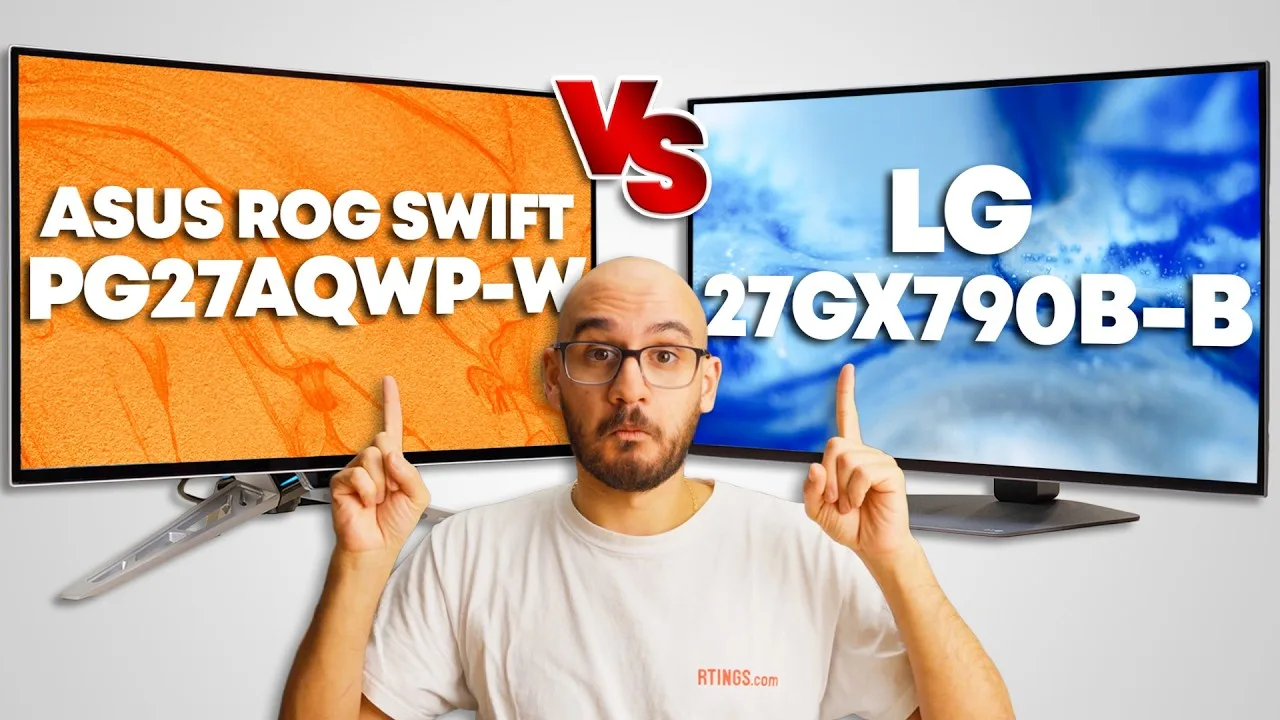
Video thumbnail
RTINGS Computer video review thumbnail
RTINGS Computer The LG 27GX790B-B features a matte coating that absorbs light and …

The LG 27GX790B-B features a matte coating that absorbs light and spreads reflections across the screen rather than reflecting them directly back. It has a simple, understated design with minimal branding and a logo on the back. The stand is solid and ergonomic, though it only rotates counterclockwise into portrait mode. Cable management uses a clip on the stand. For connectivity, it includes two HDMI ports, one DisplayPort with UHBR13 bandwidth, and a USB-C port with DisplayPort Alt Mode—useful for laptop connections though limited to 5W power delivery. A small USB hub is also included. Picture quality benefits from tandem OLED technology with deep blacks, no haloing, and wide color range, though vertical banding in dark grays appears to be a common panel issue. SDR performance shows better gamma tracking and white balance than some alternatives, but calibration is still needed for content creation work.

  • Ideal for bright rooms where reflections cause distraction
  • Good choice for users prioritizing SDR color accuracy
  • Laptop users benefit from USB-C DisplayPort Alt Mode
  • Content creators will still need calibration for accuracy
  • Consider separate laptop charger due to 5W power limit
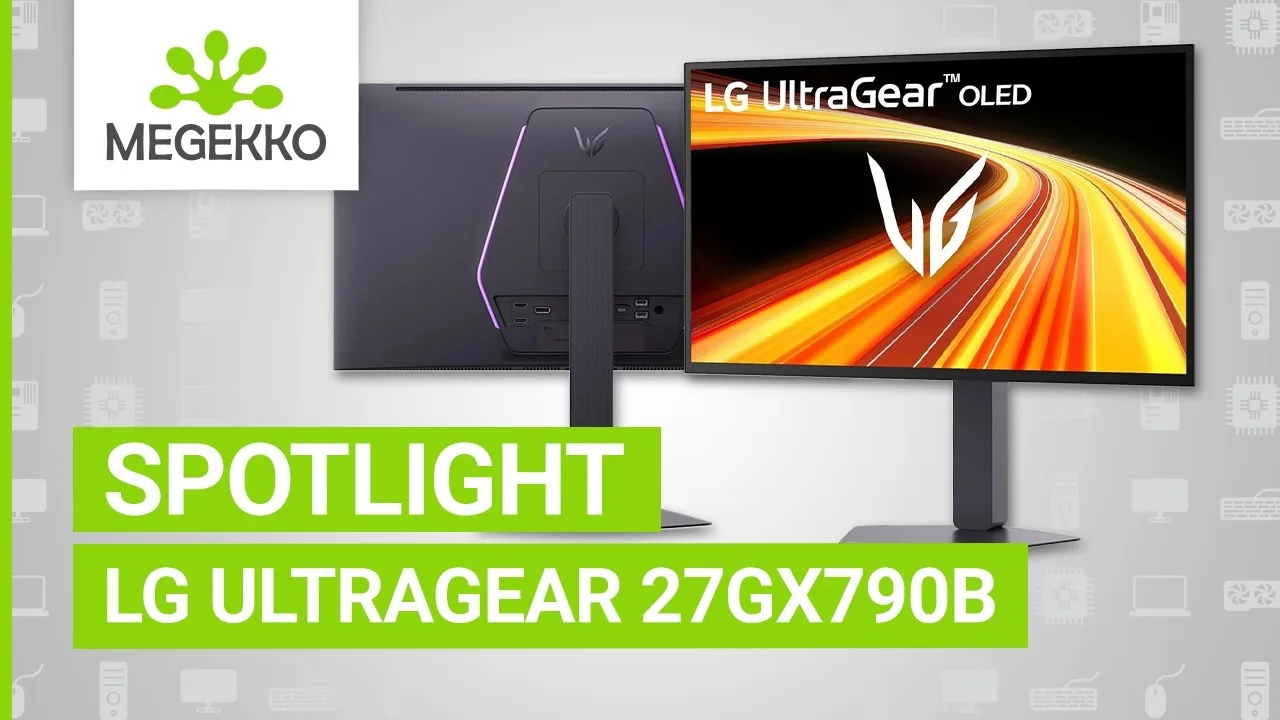
Video thumbnail
Megekko video review thumbnail
Megekko The LG 27GX790B-B is a 27-inch QHD gaming monitor featuring LG's first …

The LG 27GX790B-B is a 27-inch QHD gaming monitor featuring LG's first fourth-generation RGB tandem OLED panel with dual refresh rates up to 720 Hz. Its design emphasizes clean, minimal aesthetics with functional RGB rear lighting and a compact, fully adjustable stand including portrait orientation. The 4-stack OLED structure delivers 335 nits typical brightness and 1500 nits peak brightness with improved color volume saturation at high brightness levels. Dual mode allows switching between QHD at 540 Hz or HD at 720 Hz, paired with 0.02 ms gray-to-gray response time. Connectivity includes two HDMI 2.1 ports, DisplayPort 2.1, and USB-C with DisplayPort Alternate Mode, plus Nvidia G-Sync compatibility and AMD FreeSync Premium Pro support.

  • Ideal for competitive FPS players prioritizing speed
  • Choose 540 Hz QHD for sharpness plus high refresh
  • Select 720 Hz HD for pure esports performance
  • Perfect for gamers refusing visual compromises
  • Excellent for fast-paced racing titles
Video thumbnail
Tiny Home Tech video review thumbnail
Tiny Home Tech This 27-inch OLED gaming monitor features LG's fourth-generation WOLED …

This 27-inch OLED gaming monitor features LG's fourth-generation WOLED panel with a four-stack RGB structure, delivering improved brightness and color volume. It offers a native 540Hz refresh rate at 1440p, scaling to 720Hz at 720p resolution. SDR brightness reaches 335 nits, with HDR peaking at 1500 nits in a 1.5% window, earning Display HDR True Black 500 certification. The panel achieves 0.02ms response time and ClearMR 21000 certification for minimal blur. Connectivity includes HDMI 2.1, DisplayPort 2.1, USB-C, two USB-A ports, and a headphone jack. The design features clean lines, a fully adjustable stand, and subtle rear RGB lighting. Early reports indicate a planned global rollout following its China debut.

  • Ideal for competitive esports players demanding maximum refresh rates
  • Suitable for productivity work due to improved text clarity
  • Best paired with high-end GPUs supporting DisplayPort 2.1
  • Strong choice for HDR gaming with True Black 500 performance
  • Worth waiting for global availability if purchasing outside China
Video thumbnail

Scores based on weighted analysis of 11 expert and community sources. How we review →