
Monitors

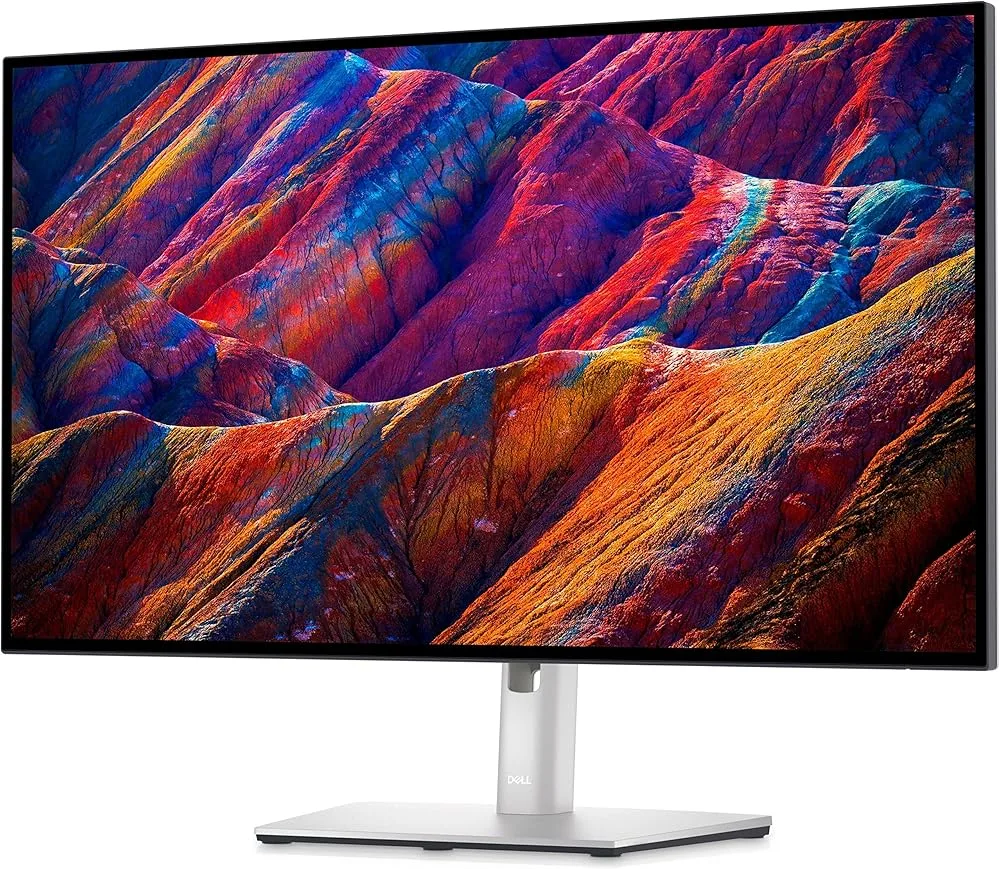
Dell UltraSharp U2725QE

verified Excellent

Best For

  • Productivity-focused users
  • Office professionals
  • Graphic designers

Consider Carefully

  • Budget-conscious shoppers
  • Home entertainment seekers

The Bottom Line

The Dell UltraSharp U2725QE is a monitor that makes a strong case for itself in the productivity and office space, standing out with its exceptional panel quality and versatile connectivity. What we found most impressive about this 27-inch monitor is its enhanced IPS Black panel, which boasts a 3000:1 contrast ratio โ€” a significant upgrade from its predecessors. This, combined with its 99% DCI-P3 color coverage, ensures vivid and accurate colors, as noted by howtogeek.com. It also offers a 120Hz refresh rate, ensuring smooth visuals that are particularly useful for graphic-intensive tasks. Its connectivity is another strong suit, with Thunderbolt 4 support providing a versatile solution for multiple device connections, which is ideal for a bustling office environment.

Performance Breakdown

In-Depth Analysis

Color Accuracy 95

Unanimous consensus ยท 7 sources

Five of seven sources specifically called out the factory calibration as professional-grade. At 99% DCI-P3 coverage, this is one of the stronger color accuracy stories in its class.

Key Takeaway

โ†’Buy this if color accuracy is a priority and you want a monitor that's usable out of the box. Run a white balance calibration if you're doing anything where color precision is non-negotiable.

In-Depth Analysis

Color Accuracy

Unanimous consensus ยท 7 sources
95 / 100

Factory calibration is the real differentiator here. ItPro, HowToGeek, and The Aureview all independently landed on 'ideal for professional work requiring high color accuracy,' which is a rare level of consensus. Expert Reviews measured 99% DCI-P3 coverage and a reduced average Delta E error, giving the praise some hard numbers to stand on. The one nuance worth flagging: RTINGS recommends a white balance calibration for optimal results, suggesting the out-of-box state is excellent but not perfect. For graphic designers and content creators who don't want to calibrate, this is still a strong choice. For those doing critical color grading, that RTINGS note is worth acting on.

Outstanding factory calibration for professional color work

โ€” The Aureview

What Reviewers Say

"Outstanding factory calibration for professional color work"

theaureview.com

"Color palette expanded to 99% of DCI-P3"

expertreviews.co.uk

"Reduced average Delta E error"

expertreviews.co.uk

"Color depth is impressive for detailed visuals"

forums.macrumors.com

Strengths

Ideal for professional color work with its accurate factory calibration
5 of 7 sources agree
  • itpro.com โ€” high confidence
  • howtogeek.com โ€” high confidence
  • theaureview.com โ€” high confidence
  • expertreviews.co.uk โ€” medium
  • forums.macrumors.com โ€” medium
Suitable for content creation and design work
3 of 7 sources agree
  • RTINGS Computer โ€” high confidence
  • forums.macrumors.com โ€” medium
  • TechIntro โ€” low
Color palette expanded to 99% of DCI-P3
1 of 7 sources agree
  • expertreviews.co.uk โ€” medium
Reduced average Delta E error
1 of 7 sources agree
  • expertreviews.co.uk โ€” medium

Nuances

Consider calibration for improved white balance
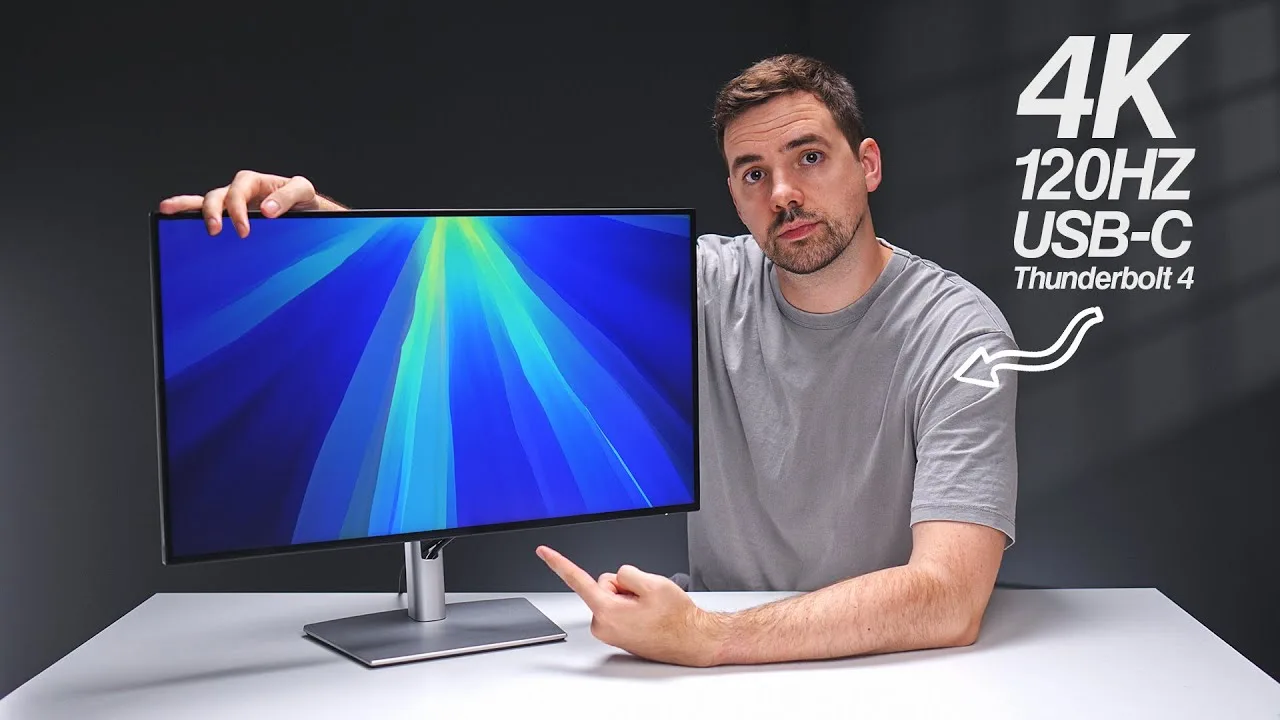
1 of 7 sources agree
  • RTINGS Computer โ€” high confidence

Connectivity & Ports 94

Strong consensus ยท 11 sources

Thunderbolt 4 with 140W power delivery and a full hub-style port selection makes this one of the better-connected monitors at this price. The one consistent gripe across 11 sources: the included cables are too short.

Key Takeaway

โ†’For anyone running a Thunderbolt laptop setup, this is a near-ideal dock-and-display combo. Budget for longer cables and verify your Mac chip supports daisy chaining before committing.

In-Depth Analysis

Connectivity & Ports

Strong consensus ยท 11 sources
94 / 100

Eleven sources weighed in, and the connectivity story is almost uniformly positive. Thunderbolt 4, 140W charging, and single-cable laptop connectivity are the core selling points, with Created Tech specifically calling out how it 'reduces cable clutter with one-cable laptop connectivity.' ItPro and HowToGeek both flagged the included cable lengths as genuinely frustrating, which is a petty oversight on a premium monitor. There's a real-world nuance buried in Reddit: daisy chaining works well with MacBook M1 Pro and M3 Air but hits limitations with the base M3 chip MacBook Air, so Mac users should verify their specific chip before assuming full functionality. A separate r/Dell thread notes a buzzing noise that stops once a device is plugged in for charging, which suggests a grounding quirk worth knowing about.

Reduces cable clutter with one-cable laptop connectivity

โ€” Created Tech

Where Reviewers Disagree

Thunderbolt 4 daisy chaining works cleanly on most MacBooks but has documented limitations with the base M3 chip, which matters for a monitor marketed heavily at Mac users.

What Reviewers Say

"Versatile connectivity with Thunderbolt 4 hub"

howtogeek.com

"Reduces cable clutter with one-cable laptop connectivity"

Created Tech

"Unique functionality for people who own multiple computers"

howtogeek.com

"Streamlines workflow with built-in KVM switch"

Created Tech

Strengths

Ideal for productivity and office use with multiple connectivity options
4 of 11 sources agree
  • RTINGS Computer โ€” high confidence
  • expertreviews.co.uk โ€” medium
  • Full Transparency โ€” medium
  • Created Tech โ€” medium
A workstation hub with versatile connectivity options
4 of 11 sources agree
  • itpro.com โ€” high confidence
  • howtogeek.com โ€” high confidence
  • theaureview.com โ€” high confidence
  • expertreviews.co.uk โ€” medium
USB-C connectivity simplifies cable management
3 of 11 sources agree
  • itpro.com โ€” high confidence
  • Created Tech โ€” medium
  • forums.macrumors.com โ€” medium
Contains a robust port selection with Thunderbolt 4 speeds
2 of 11 sources agree
  • howtogeek.com โ€” high confidence
  • theaureview.com โ€” high confidence

Nuances

Daisy chaining works well with MacBook M1 Pro and M3 Air, but has limitations with the base M3 chip in MacBook Air
1 of 11 sources agree
  • r/Monitors โ€” high confidence
The buzzing noise stops when a device is connected to the USB for charging.
1 of 11 sources agree
  • r/Dell โ€” medium

Display Image Quality 92

Unanimous consensus ยท 8 sources

The IPS Black panel delivers a 3000:1 contrast ratio that genuinely separates this from standard IPS monitors. Eight sources reviewed it, and the only real complaint is mild corner dimming on full-white backgrounds.

Key Takeaway

โ†’If you want IPS-level color accuracy with contrast that actually competes with VA panels, this delivers. If you need perfect backlight uniformity for print work, test it first.

In-Depth Analysis

Display Image Quality

Unanimous consensus ยท 8 sources
92 / 100

A 3000:1 contrast ratio is the headline here, and it shows. HowToGeek called it 'outstanding contrast and color for an IPS monitor,' while Techaeris noted 'deep blacks and crisp clean whites,' which is not language you typically hear about IPS panels. The matte anti-glare coating gets specific praise from The Aureview for balancing clarity without washing out colors in bright rooms. Corner dimming on full-white test patterns is the one consistent knock, flagged by both The Aureview and Expert Reviews, though it's the kind of flaw that shows up in lab conditions more than daily use. For content creators and productivity users, 8 sources landed in the same place: this is a serious display.

Outstanding contrast and color for an IPS monitor

โ€” HowToGeek

What Reviewers Say

"Outstanding contrast and color for an IPS monitor"

howtogeek.com

"Deep blacks and crisp clean whites"

techaeris.com

"Matte anti-glare coating balances clarity and comfort"

theaureview.com

"Fantastic 4K display with vibrant colors"

techaeris.com

Strengths

Enhanced IPS Black panel with improved contrast ratio
4 of 8 sources agree
  • itpro.com โ€” high confidence
  • howtogeek.com โ€” high confidence
  • techaeris.com โ€” high confidence
  • expertreviews.co.uk โ€” medium
Ideal as a primary productivity or professional monitor
2 of 8 sources agree
  • techaeris.com โ€” high confidence
  • r/Monitors โ€” high confidence
Fantastic 4K display with vibrant colors
2 of 8 sources agree
  • techaeris.com โ€” high confidence
  • forums.macrumors.com โ€” medium
Matte anti-glare coating balances clarity and comfort
1 of 8 sources agree
  • theaureview.com โ€” high confidence

Ergonomics & Design 87

Strong consensus ยท 9 sources

The adjustable stand, thin bezels, and improved OSD get consistent praise across 9 sources. The design itself, though, is starting to show its age, and the lack of built-in speakers is a real omission at this price.

Key Takeaway

โ†’The ergonomics and build quality are solid, but factor in the cost of external speakers and the fact that the design hasn't evolved much. If you're upgrading from an older UltraSharp, the stand and OSD improvements are real.

In-Depth Analysis

Ergonomics & Design

Strong consensus ยท 9 sources
87 / 100

The physical ergonomics are genuinely good: 130mm height adjustment, tilt, swivel, and pivot are all confirmed by The Aureview and Expert Reviews, and the cable management routing gets a specific callout from ItPro. The OSD improvements are a meaningful quality-of-life upgrade over previous Dell UltraSharp generations. But Techaeris raises a fair point that the design hasn't had a significant refresh, and at this price point, that's noticeable. HowToGeek's observation that there are no built-in speakers or webcam is a real gap for a monitor positioned as a productivity hub. The buzzing noise issue flagged on r/Dell and disappointing customer support experiences add friction that shouldn't exist on a premium product.

No built-in speakers or webcam

โ€” HowToGeek

Where Reviewers Disagree

The monitor is priced as a premium productivity hub but ships without speakers or a webcam, which forces additional purchases that competitors at this tier increasingly include.

What Reviewers Say

"Flexible stand with 130mm height adjustment"

theaureview.com

"Premium minimalist design with thin bezels"

theaureview.com

"Enhanced cable management"

itpro.com

"Reduces eye strain with eye comfort features"

TechIntro

Strengths

Suitable for productivity tasks with its 4K resolution and ergonomics
4 of 9 sources agree
  • theaureview.com โ€” high confidence
  • itpro.com โ€” high confidence
  • RTINGS Computer โ€” high confidence
  • TechIntro โ€” low
Versatile for various desk setups with adjustable stand
3 of 9 sources agree
  • theaureview.com โ€” high confidence
  • expertreviews.co.uk โ€” medium
  • Full Transparency โ€” medium
Premium minimalist design with thin bezels
2 of 9 sources agree
  • theaureview.com โ€” high confidence
  • expertreviews.co.uk โ€” medium
Improved on-screen display menus
2 of 9 sources agree
  • itpro.com โ€” high confidence
  • expertreviews.co.uk โ€” medium

HDR Performance 82

Divided consensus ยท 4 sources

DisplayHDR 600 certification sounds impressive, but only 4 sources covered this, and the nuanced take is that SDR in a dark room actually outperforms HDR for cinematic content.

Key Takeaway

โ†’Don't buy this for HDR content consumption. The certification is real, but the tone mapping holds it back. Treat HDR as a bonus, not a feature.

In-Depth Analysis

HDR Performance

Divided consensus ยท 4 sources
82 / 100

DisplayHDR 600 is a step above the HDR 400 certification common at this price, and Expert Reviews and Full Transparency both flag it as a meaningful upgrade. The honest picture, though, is more complicated. The Aureview specifically calls out conservative tone mapping as a limiter for cinematic HDR, and RTINGS notes that dark room SDR performance is actually better than HDR for that use case. Four sources is a thin sample, but the two that went deep on HDR performance landed in the same place: this is not a monitor you buy for HDR movies. It's a productivity display that happens to have a respectable HDR certification.

DisplayHDR 600 certification

โ€” Expert Reviews

Where Reviewers Disagree

DisplayHDR 600 certification suggests strong HDR capability, but The Aureview and RTINGS both found that conservative tone mapping and better dark-room SDR performance undercut the real-world HDR story.

What Reviewers Say

"Higher level of HDR certification with Display HDR 600"

Full Transparency

"DisplayHDR 600 certification"

expertreviews.co.uk

"Not the best for cinematic HDR performance due to conservative tone mapping"

theaureview.com

"Better performance in SDR for dark room use"

RTINGS Computer

Strengths

Higher level of HDR certification with Display HDR 600
2 of 4 sources agree
  • expertreviews.co.uk โ€” medium
  • Full Transparency โ€” medium

Nuances

Not the best for cinematic HDR performance due to conservative tone mapping
1 of 4 sources agree
  • theaureview.com โ€” high confidence
Better performance in SDR for dark room use
1 of 4 sources agree
  • RTINGS Computer โ€” high confidence

Refresh Rate & Gaming 81

Strong consensus ยท 7 sources

120Hz is genuinely useful for productivity and casual gaming, but sluggish response times flagged by Expert Reviews mean this is not a monitor serious gamers should prioritize.

Key Takeaway

โ†’The 120Hz refresh rate is a productivity win and works fine for casual or console gaming. Competitive PC gamers should look at monitors built for the job.

In-Depth Analysis

Refresh Rate & Gaming

Strong consensus ยท 7 sources
81 / 100

Seven sources covered this, and the consensus is clear: 120Hz is a welcome upgrade over 60Hz for scrolling and cursor movement, but this is a productivity monitor first. HowToGeek, The Aureview, and Full Transparency all land on 'suitable for occasional gaming,' which is a polite way of saying don't expect competitive performance. Expert Reviews is the outlier worth listening to here, specifically calling out sluggish response times as a weakness. Created Tech is the lone voice making a stronger gaming case, pointing to HDMI 2.1 support for 4K 120Hz from consoles. If you're a console gamer who also works, that's a real use case. If you're a PC gamer who cares about response times, look elsewhere.

120Hz refresh rate for smooth scrolling and cursor movement

โ€” The Aureview

Where Reviewers Disagree

Created Tech makes a case for console gaming via HDMI 2.1, but Expert Reviews' sluggish response time finding is a real ceiling for anyone expecting gaming-grade performance.

What Reviewers Say

"120Hz refresh rate for smooth scrolling and cursor movement"

theaureview.com

"120Hz refresh rate is beneficial for productivity and reduces eye strain"

r/Monitors

"Not a gaming monitor but offers 120Hz refresh rate for work and gaming"

Full Transparency

"Sluggish response time"

expertreviews.co.uk

Strengths

120Hz refresh rate is beneficial for productivity and reduces eye strain
4 of 7 sources agree
  • itpro.com โ€” high confidence
  • theaureview.com โ€” high confidence
  • r/Monitors โ€” high confidence
  • expertreviews.co.uk โ€” medium
Excellent for gaming with HDMI 2.1 support for 4K 120Hz
1 of 7 sources agree
  • Created Tech โ€” medium

Nuances

Not a gaming monitor but offers 120Hz refresh rate for work and gaming
3 of 7 sources agree
  • howtogeek.com โ€” high confidence
  • theaureview.com โ€” high confidence
  • Full Transparency โ€” medium

Specifications & Verdict

31.5 inches Size
3840 by 2160 Resolution
IPS Black Panel
DisplayHDR 600 HDR
Connectivity
Usb Ports
8
Video Inputs
USB-C
Display
Panel
IPS Black
Refresh Rate
120 Hz
Resolution
3840 by 2160
Size
31.5 inches
Ergonomics
Vesa Mounting
VESA DisplayHDR 600
Features
Adaptive Sync
NA
Hdr Level
DisplayHDR 600
Performance
Contrast Ratio
3000:1
Luminance
450 cd/m2
Physical
Dimensions
24.4 by 28.1 by 8.5 inches
Weight
20.6 pounds

Our Verdict

For those seeking a high-quality monitor with excellent color accuracy and a smooth visual experience, the Dell UltraSharp U2725QE is a solid choice. However, for those on a tight budget or looking for a monitor primarily for home entertainment, this might not be the best fit due to its premium price and lack of built-in speakers or webcam.

Customer Reviews Amazon

4.3

156 reviews

Build quality ยท 11 Image quality ยท 5 Power saving ยท 6 Value for money ยท 6 Noise level ยท 5 Usb port capability ยท 5

Outstanding Monitor (And its silent)

Clayton Natho โ€ข 2025-10-30
I never write product reviews, but felt the need to write one due to all the posts all over the net about the noise issue with this monitor.I needed to get a new monitor due to my 38" Lg curved monitor’s usbc port breaking and no longer being able to use it as a usbc hub. Searched all over the net and finally decided to get a dual monitor set-up which I decided I wanted to get dual 27" monitors. After very exhaustive research, the Dell U2725QE kept coming back as the top monitor to get in 2025 due to sharpness, refresh, connectivity (having a USBC hub was a must for me), and good blacks (no back light bleed, I have LG OLEDs as tv’s and I love them), and this thing checks all the boxes. The only concern was monitor whine issues which I eventually figured I’d buy it and see for myself.After a couple of weeks, it’s an outstanding monitor, works outstanding as a USBC dock, no whine issues, and love the 4k 120htz refresh and is a noticeable upgrade from my lg 38" ultra wide. I plan on buying a second for a dual monitor set-up.UPDATE 2/1/26: After a few months with the monitor, still no noise issues. Love this thing. 120hz is actually nice (just the fluidity of the mouse pointer going across the screen or scrolling through web pages without blurring is a bigger deal than you’d think).Also, I ended up going with the Dell S2725QS as my second monitor. Was only a couple hundred bucks and is still 4k 120htz. The U2725QE does the heavy lifting as the main, and the S2725QS works awesome as a cost effective side monitor.
thumb_up 15 people found this helpful

Perfect MacBook M4 dual monitor setup

Anthony โ€ข 2025-11-18
Work great VESA mounted on monitor arms in a daisy chained dual monitor configuration connected by a single thunderbolt cable to a MacBook M4 Pro. Beautiful pictures and sturdy construction in lightweight cases with the slimmest of bezels; nothing to distract or disturb. Lots of spare usb ports so also acts as a usb hub for the Mac.
thumb_up 6 people found this helpful

A great 4K monitor that is very versatile.

Lewis โ€ข 2026-01-08
This monitor is either a 4 or a 5. It was a little hard to setup because of all the cable types that can be connected. It’s 4K, not 5K but for the price you get a monitor that works well with Apple’s retina resolution and high resolution/high frequency nvidia cards on Windows or Linux machines. The built in KVN hub for peripherals is great, but also a little tricky to setup, but functions perfectly after that. I have mine setup to switch between an M4 Mac Mini and a Lenovo Legion Tower running Windows.Whichever cpu has the monitor gets the peripherals. I have a nice Logitech wireless keyboard that switches with a key press so no USB at all. I have an old Logitech mouse with little dongle plugged into the montor. I have an awesome Anker web cam/mic combo that connects via usb to the monitor. And ancient Logitech stereo speakers that sound great because USB sound is digital: these are powered speakers with a built in DAC. Not hifi, but better than any built in speakers to a system or monitor.Switching the monitor between computers is a bit touchy but this is not the monitor’s fault. It auto detects which system is sending a video signal. I tried to use it by sleeping either Windows or Mac. But, in both cases “sleep” is not instantaneous: there is a delay before either system “lets go” of the monitor. So, I power down the system that I am not using. Sounds bad, but it’s not. These are both very new, very powerful system. Each powers down instantly. Each boots in under 10 seconds. And it’s not a bad hygiene idea to actually shut down your computer every once in a while. Both windows and Mac can remember the windows and apps that were open if you want it to. So, this means a pretty quick and reliable switch.For mac, the setup is sweet. One Thunderbolt cable between the monitor and the mac mini carries everything: the visual data for the monitor and all of the data for all of the other USB peripherals. It just works.Windows and Lenovo also just works but the monitor cable is DisplayPort which is fast and very high res, but only for the monitor. Each extra USB device needs a cable between the monitor and the Windows machine. More cables but it just works. You don’t have to “match” ports; you just need enough good quality usb cables. The Lenovo and the monitor have 4 or 5 usb ports (maybe more–I haven’t counted).The monitor’s clarity and constrast are good. Colors are seemingly accurate. Very small text is still clear. Positioning the monitor is very flexible. the mount allows adjustment to height and tilt and swivel. It can go portrait if your software recognizes portrait vs. landscape. I just use landscape and it’s almost like having two monitors. You can display 2 ordinary monitor’s worth of info side by side. One side where you maybe working and one side where you have some reference material displayed. It’s not a 5 because it’s not 5K, but it doesn’t cost as much as 5K so maybe it should be a 5. Also, the stand is a teeny bit wobbly–but not if you don’t touch it. Pounding on the keyboard doesn’t have any effect. This is only noticed when you actually touch the monitor, which you don’t do when you are working. I can’t compare to other monitors except cheapy’s for less than 1/2 the price, which are not worth that lower price because text is blurry. This Dell seems to be a great value and I am very satisfied.
thumb_up 1 people found this helpful

vendedor que no le preocupa si el producto llega bien

patucho0 โ€ข 2025-12-08
El monitor estรก bien funciona y se ve muy bien, el panel de conexiones es muy completo. El problema fue el vendedor, mando el producto en una caja gigante que contenรญa la caja del monitor sin poner ninguna burbuja de aire y nada que haga de contenciรณn, la caja exterior llegรณ muy maltrecha y en la cja del monitor se notan algunos golpes en la puntas de las cajas. Por suerte el embalaje del monito es de muy buena calidad y lo protegiรณ
thumb_up 1 people found this helpful
Show all 10 reviews

The bomb!!!!

KS โ€ข 2026-01-24
JUST WOW! Awesome monitor. My desk has no more clutter electronics. This monitor does it all.

Desactivar brillo automatico

Abdel Cano โ€ข 2026-02-19
No tiene el ruido que habรญa leรญdo que podรญa tener, es silencioso. Tuve que desactivar la opciรณn de brillo y el de temperatura debido a que es muy sensible. Tuve que descargar “Samsung DDPM” para controlar el brillo desde el teclado del Mac. Trabajo siempre 4k a 120hz a travez del puerto Thunderbolt. Densidad de pixeles mรกs que suficiente sin “artifactos

La mejor calidad en un panel ips

Julian David Osorio โ€ข 2026-02-20
Simplemente espectacular monitor, los colores el.diseรฑo y la fluides del mismi hacen que valga cada centavo, kudos para el vendedor, rapido envio y bien protegido, llego en 3 dias

Dead on arrival - returned

Matt โ€ข 2026-02-05
Monitor arrived completely dead. No power, no LED, no backlight, and no response despite testing multiple outlets and cables. Returned immediately.Disappointing experience for a premium-priced monitor.

Definitely recommend

Harley O'Connor โ€ข 2025-12-10
Brilliant monitor, great quality, colour range, brightness etc. The thunderbolt hub being built-in is just fantastic, and even better than you might think since the Amazon page seemingly fails to mention the additional ports that pop out the bottom for convenient access: 2x usbc and 1 usba in addition to the great range of the ports already on the back.Good to bear in mind it doesnโ€™t have built in speakers, though not an issue for me. The main thing I would like to see improved is the stability of the stand, but it is very flexible. Certainly a footnote given the other benefits.

Excelente

Philip F. Chagas โ€ข 2025-11-19
Excelente e funciona perfeitamente com o MacBook Air.

Reviews shown are from Amazon customers and do not reflect our editorial assessment.

Reader Questions

Specific questions about the Dell UltraSharp U2725QE, answered only from what reviewers reported.

01Does the U2725QE support 4K at 120Hz?

Yes, reviewers confirmed it runs 4K resolution at a 120Hz refresh rate, which delivers smooth scrolling and cursor movement for both work and light gaming.

3 sources “4K resolution with 120Hz refresh rate” — expertreviews.co.uk

02How is the contrast ratio compared to a typical IPS panel?

The U2725QE uses an IPS Black panel with a 3000:1 contrast ratio, and reviewers described it as delivering outstanding contrast and color for an IPS monitor.

3 sources “Improved 3000:1 contrast ratio” — itpro.com

03Does it work well as a hub for connecting multiple devices?

Reviewers found it well suited for professionals who need multiple device connections, and the Thunderbolt 4 port combined with a robust overall port selection simplifies multi-device setups.

3 sources “Suitable for professionals requiring multiple device connections” — Created Tech

04Can connecting a laptop reduce desk cable clutter?

Yes, the USB-C and Thunderbolt 4 connectivity allows a single cable to connect a laptop, which reviewers noted reduces cable clutter noticeably.

2 sources “Reduces cable clutter with one-cable laptop connectivity” — Created Tech

05Does it have built-in speakers or a webcam?

No, reviewers flagged the absence of built-in speakers and a webcam as a drawback, so you will need external peripherals for audio and video calls.

1 sources “No built-in speakers or webcam” — howtogeek.com

06Are the cables included in the box long enough?

Reviewers noted that the video cables included in the box are on the short side, which could be a problem depending on your desk setup.

1 sources “Limited cable lengths in the box” — itpro.com

Sources & Methodology

Every score is built on evidence. This review synthesizes 33 independent sources โ€” expert publications, video reviews, and community discussions โ€” weighted by credibility, depth, and relevance.

article 6 Expert Reviews
play_circle 4 Video Reviews
forum 2 Community Discussions
science Our Methodology
Show detailed source analysis โ†“

Expert Reviews

itpro.com
Top 4/5-point

The Dell UltraSharp U2725QE is a 27-inch productivity monitor that builds on the strengths of its predecessors with several enhancements. It features an improved IPS Black panel with a 3000:1 contrast ratio, a higher refresh rate of 120Hz, and increased power delivery up to 140W. The inclusion of Thunderbolt 4 connectivity allows for high-speed data transfers, 120Hz 4K display, and 2.5Gbe Ethernet via a single cable. The monitor also offers a refined design with better cable management and improved on-screen display menus.

Strengths

  • +Improved 3000:1 contrast ratio
  • +120Hz refresh rate for smooth visuals
  • +Higher 140W power delivery
  • +Thunderbolt 4 for versatile connectivity

Weaknesses

  • โˆ’Limited cable lengths in the box
Credibility: High ยท 2,202 words
Read full review โ†’
howtogeek.com
Top 9/10-point

The Dell UltraSharp U2725QE stands out with its exceptional contrast and color accuracy, achieved through Dell's IPS Black technology. It offers a 3000:1 contrast ratio and 99% DCI-P3 color coverage, making it one of the best-looking LCDs on the market. The integrated Thunderbolt 4 hub provides versatile connectivity options, enhancing its appeal for professionals. However, it lacks built-in speakers and a webcam, and the included video cables are too short for some setups.

Strengths

  • +Outstanding contrast and color for an IPS monitor
  • +Contains a robust port selection with Thunderbolt 4 speeds
  • +Unique functionality for people who own multiple computers

Weaknesses

  • โˆ’No built-in speakers or webcam
  • โˆ’The included video cables are too short
Credibility: High ยท 1,364 words
Read full review โ†’
theaureview.com
90/100

The Dell UltraSharp U2725QE is a refined professional display that excels in image quality, ergonomics, and build quality. Its smart connectivity and clean design make it a productivity hub for hybrid professionals. The monitor features a 27-inch 4K IPS Black panel with excellent color accuracy and a matte anti-glare coating, providing a crisp and comfortable viewing experience. Its versatile stand offers generous ergonomic adjustments, and the comprehensive port selection, including Thunderbolt 4, makes it a workstation hub.

Strengths

  • +Premium minimalist design with thin bezels
  • +Flexible stand with 130mm height adjustment
  • +Comprehensive port selection including Thunderbolt 4
  • +Outstanding factory calibration for professional color work

Weaknesses

  • โˆ’Mild corner dimming on full-white test backgrounds
Credibility: High ยท 1,002 words
Read full review โ†’
techaeris.com
96/100

The Dell UltraSharp U2725QE is a feature-rich 27-inch monitor that offers exceptional display quality with vibrant colors, deep blacks, and crisp whites. It boasts a sleek, slim design with a broad feature set, including 140W power pass-through USB-C and KVM switching for multiple desktops. Connectivity options are plentiful, and it's easy to set up and use with cables included.

Strengths

  • +Fantastic 4K display with vibrant colors
  • +Deep blacks and crisp clean whites
  • +Broad feature set including USB-C and KVM switching
  • +Easy to set up and use with cables included

Weaknesses

  • โˆ’CA pricing is pretty steep
  • โˆ’Design could use a significant refresh
Credibility: High ยท 3,027 words
Read full review โ†’
expertreviews.co.uk
80/100

The Dell UltraSharp U2725QE offers a stylish and understated design with a 27-inch 4K panel, 120Hz refresh rate, and robust connectivity options including Thunderbolt 4. Its enhanced IPS Black panel boasts improved contrast ratios, color palette expansion, and reduced Delta E error, making it suitable for professional work. The monitor also features a user-friendly OSD and a comprehensive port selection, enhancing its versatility and ease of use.

Strengths

  • +Stylish and understated design
  • +4K resolution with 120Hz refresh rate
  • +Enhanced IPS Black panel with improved contrast ratio
  • +Color palette expanded to 99% of DCI-P3

Weaknesses

  • โˆ’Backlighting uniformity could be better
  • โˆ’Sluggish response time
Credibility: Moderate ยท 1,949 words
Read full review โ†’
forums.macrumors.com

The Dell UltraSharp U2725QE is highly regarded for its excellent color accuracy, making it ideal for professional work. Its USB-C connectivity simplifies cable management and enhances user convenience. The monitor's high resolution and color depth are also praised for delivering crisp and detailed images.

Strengths

  • +Excellent color accuracy for professional work
  • +USB-C connectivity simplifies cable management
  • +High resolution delivers crisp images
  • +Color depth is impressive for detailed visuals
Credibility: Low ยท 200 words
Read full review โ†’

Video Reviews

RTINGS Computer video review thumbnail
RTINGS Computer The Dell UltraSharp U2725QE is a 27-inch 4K monitor with a focus on โ€ฆ

The Dell UltraSharp U2725QE is a 27-inch 4K monitor with a focus on productivity and versatility. It features an ergonomic stand, multiple connectivity options including USB-C, and supports DisplayPort Alt Mode and Thunderbolt 4. The monitor's high resolution ensures sharp text and ample screen real estate, and it performs well in bright environments with good glare resistance. However, it struggles with black levels and local dimming in HDR, making SDR a better option for some users.

  • โ†’Ideal for office use with multiple device connections
  • โ†’Suitable for content creation due to color accuracy
  • โ†’Better performance in SDR for dark room use
  • โ†’Good for productivity with large screen real estate
  • โ†’Consider calibration for improved white balance
Video thumbnail
Created Tech video review thumbnail
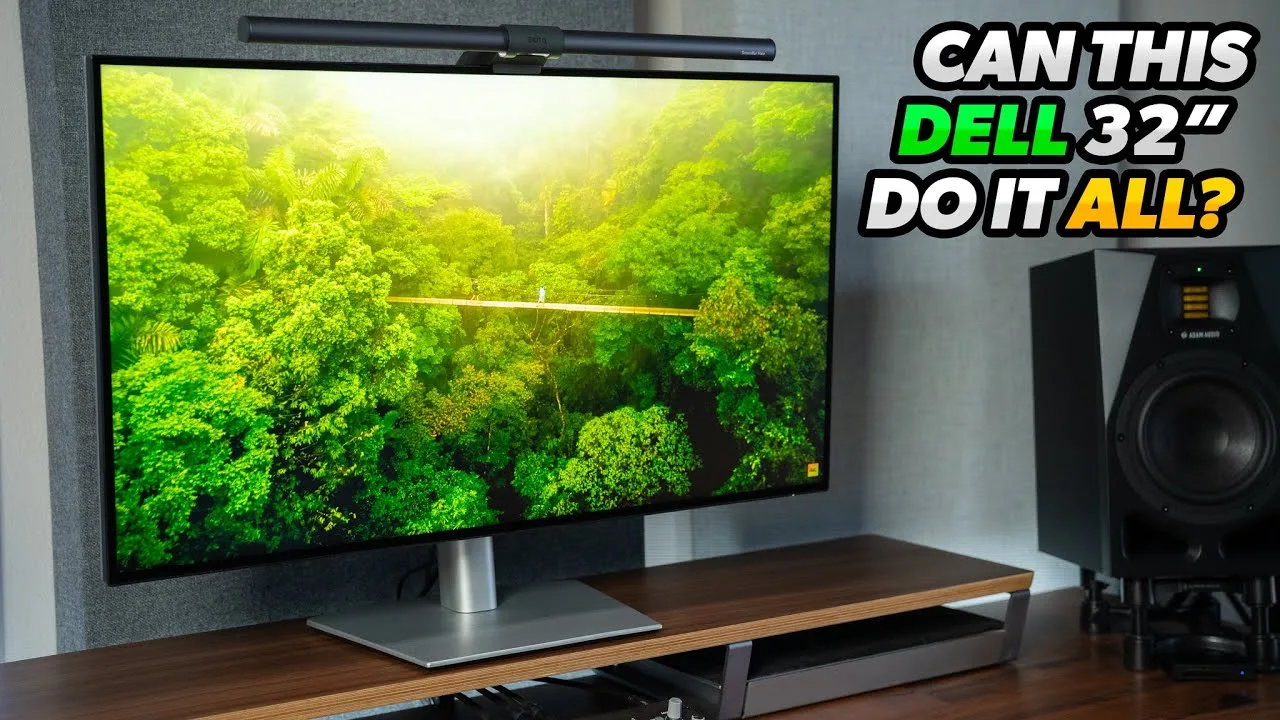
Created Tech The Dell UltraSharp U2725QE offers a 4K resolution with a 120Hz โ€ฆ

The Dell UltraSharp U2725QE offers a 4K resolution with a 120Hz refresh rate and Thunderbolt 4 connectivity, providing 140W of power output. Its port selection is extensive, including HDMI 2.1 and multiple USB ports, eliminating the need for a desktop dock. The monitor also features a built-in KVM switch for ease of use with multiple computers. The design is sleek with minimal bezels and no visible branding from the front, and the stand offers great adjustability.

  • โ†’Ideal for MacBook users needing high-resolution output
  • โ†’Suitable for professionals requiring multiple device connections
  • โ†’Reduces cable clutter with one-cable laptop connectivity
  • โ†’Excellent for gaming with HDMI 2.1 support for 4K 120Hz
  • โ†’Streamlines workflow with built-in KVM switch
Video thumbnail
Full Transparency video review thumbnail
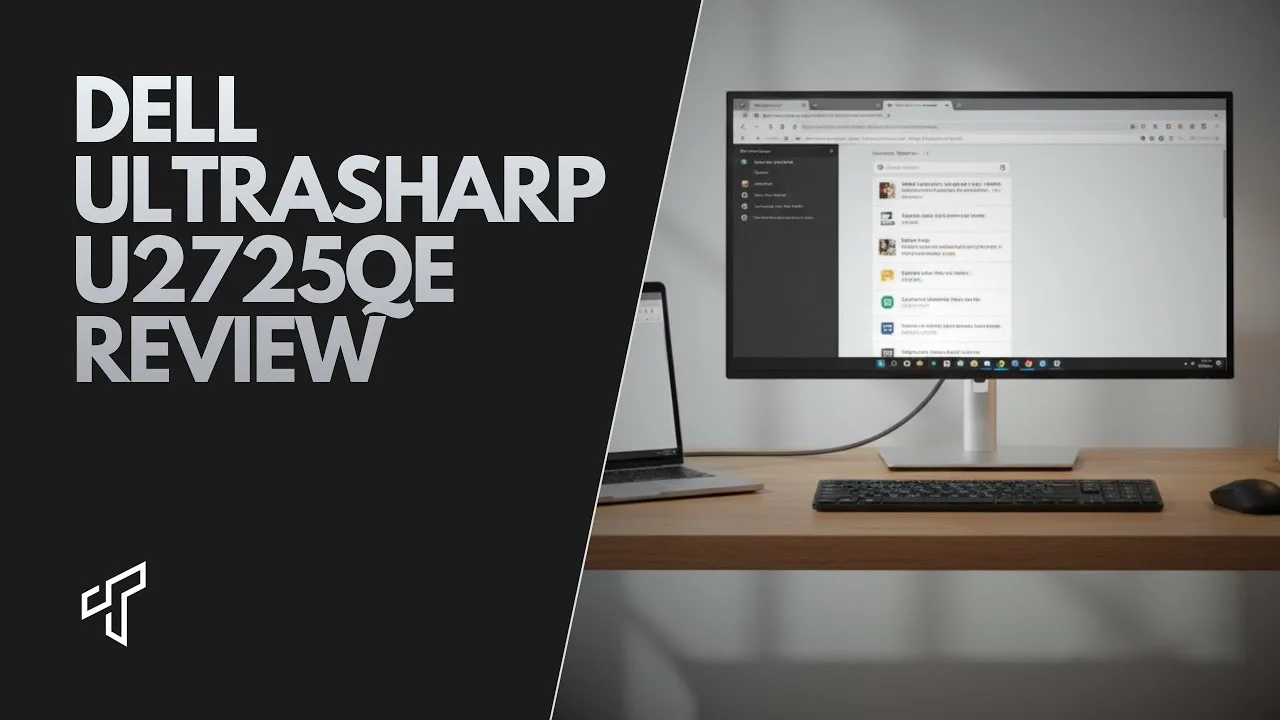
Full Transparency The Dell UltraSharp U2725QE offers a professional look with its silver โ€ฆ

The Dell UltraSharp U2725QE offers a professional look with its silver plastic body and a versatile stand that saves space. It features a matte display to combat light pollution and an impressive array of connectivity options, including HDMI 2.1, DisplayPort 1.4, Thunderbolt 4, and USB-C ports. The monitor's height adjustability, swivel, tilt, and portrait mode capabilities make it adaptable for various workspaces. It also boasts a high brightness level, reaching 469 nits in SDR and 546 nits in HDR mode, suitable for well-lit environments.

  • โ†’Ideal for productivity and office use with multiple connectivity options
  • โ†’Suitable for well-lit environments due to high brightness levels
  • โ†’Adaptable for various workspaces with its adjustable stand
  • โ†’Not a gaming monitor but offers 120Hz refresh rate for work and gaming
  • โ†’Higher level of HDR certification with Display HDR 600
Video thumbnail
TechIntro video review thumbnail
TechIntro The Dell UltraSharp U2725QE is a 27-inch 4K monitor designed for โ€ฆ

The Dell UltraSharp U2725QE is a 27-inch 4K monitor designed for professionals and remote workers who value clarity, comfort, and a clean setup. Its one-cable Thunderbolt setup simplifies cable management, and its factory color calibration ensures accurate, natural colors. The monitor's eye comfort features and premium build quality make it suitable for long work sessions and professional environments.

  • โ†’Ideal for professionals and remote workers
  • โ†’Suitable for content creation and design work
  • โ†’Reduces eye strain with eye comfort features
  • โ†’Enhances productivity with 4K resolution and ergonomics
Video thumbnail

Community Discussions via Reddit

Comparison r/Monitors u/praised-formula

The Dell UltraSharp U2725QE is praised for its enhanced IPS Black technology, which offers rich colors and improved contrast compared to traditional IPS screens. Users appreciate its high PPI for sharp text and its Thunderbolt hub capabilities, which justify its price. It performs well for productivity and light gaming, although it has slower response times and slight ghosting. Coil whine is present but not bothersome for most users.

Key Insights

  • โ†’Ideal as a primary productivity or professional monitor
  • โ†’120Hz refresh rate is beneficial for productivity and reduces eye strain
  • โ†’IPS is still the king for productivity uses
  • โ†’Daisy chaining works well with MacBook M1 Pro and M3 Air, but has limitations with the base M3 chip in MacBook Air

Top Comments

777saint 5โ†‘

https://preview.redd.it/nkj7k0mqc3pe1.jpeg?width=4284&format=pjpg&auto=webp&s=e473ee0f9dbddca0e30138f3752693d36702a29e Just got it like 3 days ago and i love it! I do school work browse โ€ฆ

PrimaryFeedback9 5โ†‘

For those who returned it due to coil whine, are there any monitors worth getting instead? Ideally 4K, good contrast ratio and refresh rate.

squidward91 4โ†‘

https://preview.redd.it/bxs5oqqtqnoe1.jpeg?width=4096&format=pjpg&auto=webp&s=13e60f0f38599a11309b98385d078c2b582944c2 Pretty bad on my model.

Limited community engagement View discussion โ†’
Quick Opinion r/Dell u/drdaz

The Dell UltraSharp U2725QE has been received with mixed reactions. Users appreciate the overall quality of the monitor but report a buzzing noise issue when the brightness is set below 50%. This problem seems to be related to the power supply unit's performance under low load, as the buzzing stops when a device is connected to charge via USB. Despite this, Dell's support has deemed the noise 'within spec', which has disappointed some users.

Key Insights

  • โ†’Monitors may have a buzzing noise issue under certain conditions.
  • โ†’Dell's customer support has been disappointing for some users.
  • โ†’The buzzing noise stops when a device is connected to the USB for charging.

Top Comments

drdaz 1โ†‘

I've been through 6 screens now (!). I've currently got 2 where 1 is perfect and doesn't whine at all, and one that just buzzes a little, but it's only audible if everything else is \*completely\* โ€ฆ

drdaz 1โ†‘

What's the manufacturing date on yours?

Scores based on weighted analysis of 33 expert and community sources. How we review โ†’